-
Shop
- Advanced Technologies
- AI Skills Mastery 2026 Collection
- Best-Sellers
- Calvin Klein
- Car Accessories
- Car Buying & Ownership
- Dating & Social Skills
- Denim
- 7FOR
- AGOLDE
- Antony Morato
- Armani Exchange
- Boss
- Brunello Cucinelli
- Calvin Klein Jeans
- Costume National
- Desigual
- Diesel
- Dolce & Gabbana
- Dsquared²
- Ermanno Scervino
- Fendi
- Gianni Lupo
- Guess Jeans
- Ichi
- Just Cavalli
- Lee
- Levi's
- Liu Jo
- Morgan De Toi
- Mother Denim
- Only
- Pepe Jeans
- Pinko
- Replay
- Tommy Hilfiger Jeans
- Valentino
- Vero Moda
- Digital Resources
- Education & Learning
- Family & Parenting
- Fashion
- Alexander McQueen
- Bags & Wallets
- Balenciaga
- Belts
- Bottega Veneta
- Brunello Cucinelli
- Burberry
- Chanel
- Chloé
- Dior
- Dolce & Gabbana
- Etro
- Fendi
- Gucci
- Hats & Hair Accessories
- Jacquemus
- Jewelry
- Jil Sander
- Jimmy Choo
- Keychains
- Kiton
- Miu Miu
- Off-White
- Prada
- Rick Owens
- Saint Laurent
- Shoes
- Socks & Tights
- Sunglasses
- The Row
- Tom Ford
- Valentino
- Valentino Garavani
- Versace
- Vivienne Westwood
- Watches
- Fashion & Style
- Fashion Accessories
- Financial Education
- Find Your Path Collection
- Fitness
- Furniture
- Gadgets
- Health & Beauty
- Health & Wellness
- Home & Garden
- Home & Kitchen
- Home Styling & Organization
- Home Supplies
- Kids & Babies
- Kitchen
- Lighting
- Nike
- Online Business
- Online Business for Beginners
- Parenting
- Patio, Lawn & Garden
- Personal Growth
- Pet Care
- Pet Supplies
- Pets
- Smart Life with IA
- Sport & Outdoors
- Super Deals
- Travel
- Wealth
- Wealth Building
- Wellness
- YouTube Shorts Best-Sellers
- Popular
- Best deals
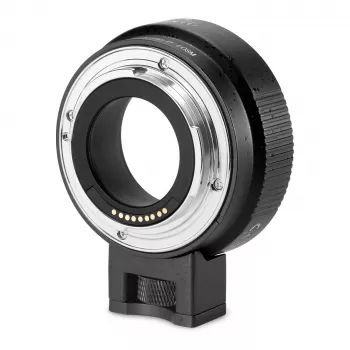
EF to EOS M AF Adapter: Use EF/EF-S Lenses on EOS M
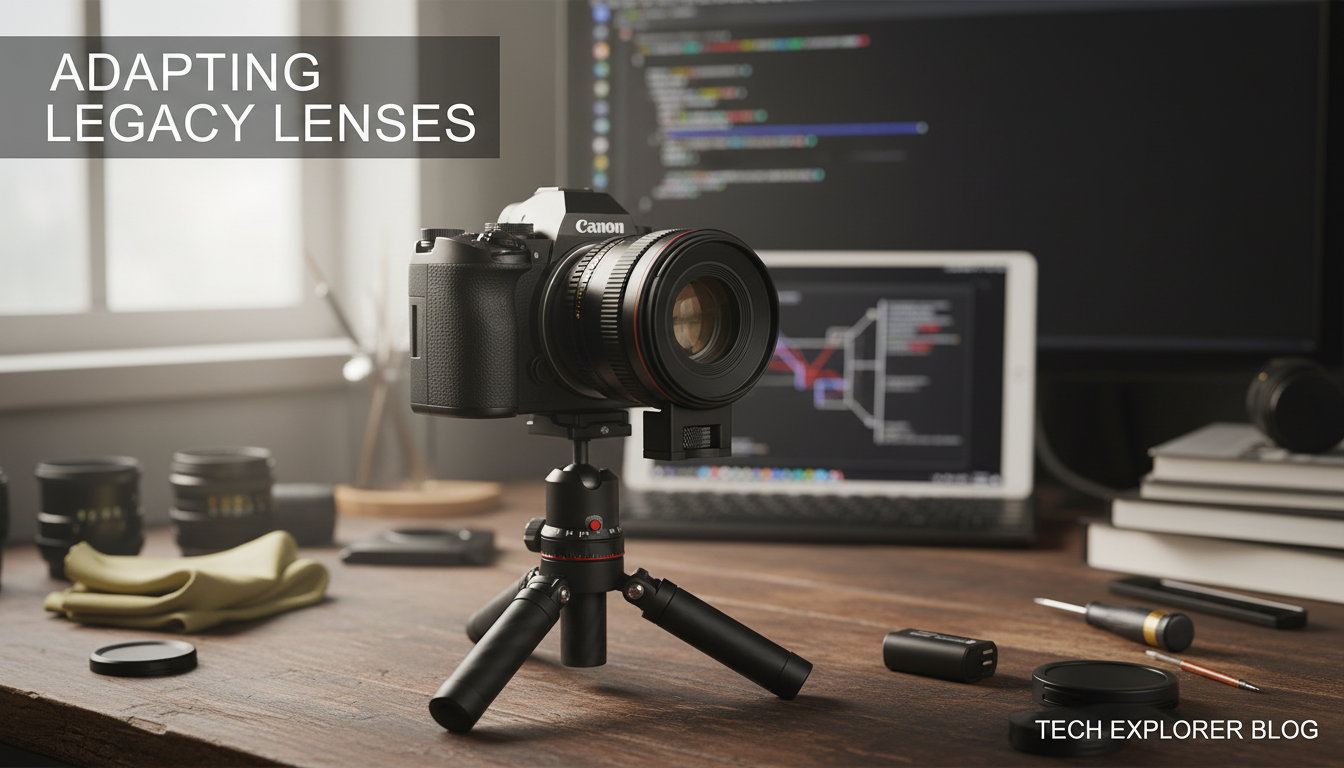
EF to EOS M Auto-Focus Lens Adapter: Use Canon EF/EF-S Lenses on EOS M Cameras
An EF to EOS M auto-focus adapter lets Canon EF and EF-S DSLR lenses mount on EOS M mirrorless bodies while keeping everyday features like autofocus and electronic aperture control. It’s a practical way to expand an EOS M kit with lenses you already own—especially for portraits, telephoto work, macro, and specialty EF glass—without giving up the compact feel of the EOS M system. For more guidance, see Canon EF lens mount – Wikipedia.
What This Adapter Does (and Why It Matters)
Canon’s EF mount and EOS M’s EF-M mount are physically different, so lenses don’t directly fit without a bridge. An EF-to-EOS M adapter fills that gap with the correct flange distance and electronic pass-through so the camera can still “talk” to the lens. For further reading, see Canon EF/EF-S Lenses To Sony E Mount Cameras.
- It bridges Canon EF/EF-S lenses to the EOS M mount without adding optics, so it doesn’t change the lens’s focal length or sharpness on its own.
- It maintains electronic communication for autofocus, aperture control, and EXIF data when the adapter and lens support it.
- It helps reuse existing EF/EF-S lenses for everything from tight portraits to long telephoto reach on compact EOS M bodies.
Compatibility Basics: EF vs EF-S and EOS M Bodies
EOS M cameras use an APS-C sensor and the EF-M lens mount. With an EF-EOS M adapter, most Canon EF and EF-S lenses can be used effectively, with the field of view determined by the APS-C crop factor of the camera body rather than any change created by the adapter.
Quick Compatibility Checklist
| Item | Works with EF-EOS M Adapter | Notes |
|---|---|---|
| Canon EF lens | Yes | Autofocus and aperture control typically supported; performance depends on lens and body. |
| Canon EF-S lens | Yes | Designed for APS-C; pairs naturally with EOS M APS-C sensors. |
| EF lens with image stabilization (IS) | Usually | IS support depends on adapter electronics and camera firmware. |
| Manual-only EF lens | Yes (manual focus) | Aperture may be manual or electronic depending on lens design. |
| Teleconverters / extension tubes | Sometimes | May affect autofocus reliability and may not physically fit all combinations. |
Popular EOS M bodies include models like the EOS M50 Mark II, M6 Mark II, and M200. For body-level details (AF modes, movie settings, etc.), Canon’s official specs are a helpful reference: Canon EOS M50 Mark II Specifications. For deeper background on EF lens communication and the mount itself, Canon’s historical technical overview is also useful: Canon EF Lens Mount Technology.
Autofocus and Performance: What to Expect
Autofocus through an adapter can be excellent for stills, but expectations should be set realistically. The EOS M body’s AF system, the lens’s focus motor, and the adapter’s electronics all influence how fast and confidently focus locks.
- Autofocus speed varies: STM lenses often feel smooth and controlled; some USM lenses are quick; older micro-motor designs can be slower and may hunt more.
- Continuous AF and subject tracking depend heavily on the body (for example, how well Face/Tracking is implemented) and the lens drive characteristics.
- Low-light focusing may hunt more with slower lenses (higher f-number) or when using teleconverters.
- For video, AF may show pulsing or audible focus noise compared with native EF-M lenses; tuning AF speed and tracking sensitivity can help.
- If AF feels inconsistent, camera firmware updates and clean electronic contacts often solve “random” glitches.
Aperture Control, EXIF, and Exposure Modes
A well-designed EF-to-EOS M autofocus adapter preserves the day-to-day shooting workflow.
- Electronic aperture control typically works normally, allowing Av, Tv, and Manual modes with the camera setting the f-stop.
- EXIF data (lens model, focal length, and aperture) is usually recorded when communication is passed correctly.
- Metering behavior is generally consistent with native lenses, so exposure compensation and Auto ISO can be used as expected.
Stabilization and Handling
Many EOS M bodies don’t have in-body stabilization, so lens-based IS can matter—especially at longer focal lengths.
Setup Steps and Troubleshooting
Who This Adapter Is Best For
Product Option: EF-EOS M Auto Focus Lens Adapter
More In-Stock Picks
- Losing Body Fat Percentage eBook | Complete Guide on how to lose body fat percentage, Nutrition, Workouts & Lifestyle Strategies for Sustainable Fat Loss
- Helping Teens Build Healthy Connections in a Digital World – eBook Guide on how to help teens build healthy friendships, Teen Communication & Social Skills Resource
FAQ
Will autofocus work with all Canon EF and EF-S lenses on EOS M?
Autofocus works with many Canon EF/EF-S lenses, but speed and reliability vary by lens motor type (STM/USM/micro-motor), the EOS M body’s AF system, and the adapter’s electronics. Some third-party lenses may show inconsistent AF behavior compared with Canon-branded lenses.
Does an EF to EOS M adapter change image quality or focal length?
No—an adapter like this typically has no optics, so it shouldn’t change focal length or sharpness by itself. The field of view is determined by the EOS M camera’s APS-C sensor crop factor, though AF performance can differ from using native EF-M lenses.
Can image stabilization and aperture control still work through the adapter?
Electronic aperture control usually works normally through a compatible adapter, letting you use standard exposure modes. Image stabilization often works as well when supported by the adapter and lens; if it seems unstable, check firmware updates and test IS behavior in both stills and video.













Leave a comment