-
Shop
- Advanced Technologies
- AI Skills Mastery 2026 Collection
- Beauty
- Best-Sellers
- Calvin Klein
- Car Accessories
- Car Buying & Ownership
- Dating & Social Confidence
- Dating & Social Skills
- Denim
- 7FOR
- AGOLDE
- Antony Morato
- Armani Exchange
- Boss
- Brunello Cucinelli
- Calvin Klein Jeans
- Costume National
- Desigual
- Diesel
- Dolce & Gabbana
- Dsquared²
- Ermanno Scervino
- Fendi
- Gianni Lupo
- Guess Jeans
- Ichi
- Just Cavalli
- Lee
- Levi's
- Liu Jo
- Morgan De Toi
- Mother Denim
- Only
- Pepe Jeans
- Pinko
- Replay
- Tommy Hilfiger Jeans
- Valentino
- Vero Moda
- Digital Resources
- Education & Learning
- Family & Parenting
- Fashion
- Alexander McQueen
- Bags & Wallets
- Balenciaga
- Belts
- Bottega Veneta
- Brunello Cucinelli
- Burberry
- Chanel
- Chloé
- Dior
- Dolce & Gabbana
- Etro
- Fendi
- Gucci
- Hats & Hair Accessories
- Jacquemus
- Jewelry
- Jil Sander
- Jimmy Choo
- Keychains
- Kiton
- Miu Miu
- Off-White
- Prada
- Rick Owens
- Saint Laurent
- Shoes
- Socks & Tights
- Sunglasses
- The Row
- Tom Ford
- Valentino
- Valentino Garavani
- Versace
- Vivienne Westwood
- Watches
- Fashion & Style
- Fashion Accessories
- Financial Education
- Find Your Path Collection
- Fitness
- Furniture
- Gadgets
- Health & Beauty
- Health & Wellness
- Home & Garden
- Home & Kitchen
- Home Styling & Organization
- Home Supplies
- Kids & Babies
- Kitchen
- Lighting
- Nike
- Online Business
- Online Business for Beginners
- Parenting
- Patio, Lawn & Garden
- Personal Growth
- Pet Care
- Pet Supplies
- Pets
- Smart Life with IA
- Sport & Outdoors
- Super Deals
- Travel
- Wealth
- Wealth Building
- Wellness
- YouTube Shorts Best-Sellers
- Popular
- Best deals
Wireless Hot-Swappable TKL Keyboard: 87-Key RGB Gaming
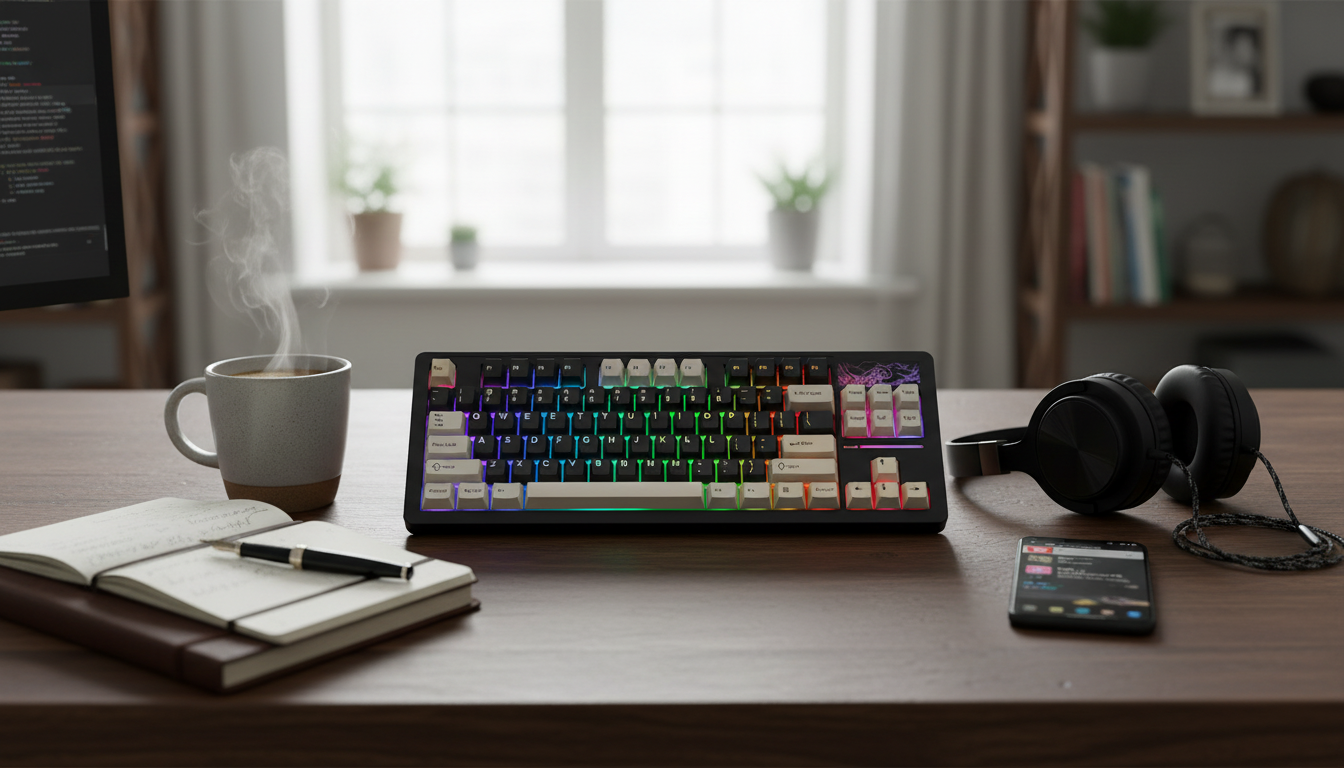
Wireless Hot-Swappable TKL Mechanical Gaming Keyboard (87-Key) With RGB Backlight
A tenkeyless mechanical keyboard keeps the mouse closer, clears desk space, and still delivers a full-function row of keys for gaming and everyday work. This 87-key wireless model adds hot-swappable switches for easy customization and RGB lighting for visibility and style—without committing to one switch feel forever.
What a TKL layout changes day to day
The 87-key tenkeyless (TKL) format drops the numpad, trimming width so your mouse sits closer to your typing position. For many players, that translates to less shoulder reach, smoother aim adjustments, and more room to run a large mouse pad—especially helpful for lower-DPI play.
Unlike ultra-compact layouts, TKL keeps a dedicated function row and the familiar navigation cluster (Insert/Home/Page keys). That means you can keep common shortcuts for gaming, editing, and multitasking without learning layers just to access core controls. It’s also easier to fit into smaller desks, dorm setups, and travel bags where a full-size board feels bulky.
Wireless setup: stable play without desk clutter
Wireless keyboards shine when you want a clean setup—no cable draped across a desk edge, no snagging during a quick reposition, and less visual clutter around a monitor stand. It’s also convenient for swapping between a main PC and another device without constantly re-routing cables.
For the best experience, keep the receiver/connection path relatively unobstructed and avoid crowded USB hubs that can introduce interference. Wireless is built on established input standards (USB HID for many receivers and Bluetooth protocols for Bluetooth modes), which helps explain why most modern systems handle keyboards reliably out of the box. For reference, see the USB HID Usage Tables and the Bluetooth Core Specification.
Hot-swappable switches: change feel, sound, and speed
Hot-swappable sockets let you change compatible mechanical switches without soldering. That opens the door to experimentation: smooth linear switches for fast repeated inputs, tactile switches for a defined bump on actuation, or clicky switches for audible feedback—depending on your game genres and typing style.
The practical benefit is repairability. If one key starts chattering or feeling inconsistent, you can replace a single switch instead of retiring the whole keyboard. For best results, remove keycaps and switches with the right pullers, align switch pins carefully, and press straight down—no rocking—so the pins seat cleanly. If you’re curious about common hot-swap socket designs used across the hobby, the manufacturer overviews at Kailh provide helpful context on socket types and intended use.
RGB backlighting: visibility and customization
RGB backlighting isn’t just cosmetic. In low-light rooms, it helps you find keys quickly, reduces missed inputs, and can make secondary legends easier to see. Many players also use lighting to create functional “zones”—highlighting WASD, ability keys, or a macro cluster—so the layout reads at a glance.
Because this is a wireless keyboard, brightness and animation choices matter. A bright, fast-moving effect can drain battery faster than a comfortable static color or a low-motion pattern. During competitive sessions, a steady color often feels cleaner and less distracting, while more dynamic modes can be reserved for casual play or streaming ambience.
At-a-glance specs and fit
This style of board focuses on four core features: a tenkeyless footprint, wireless convenience, hot-swappable switch support, and RGB lighting. Before committing, confirm that your preferred switch type matches the keyboard’s hot-swap socket standard (most commonly MX-style). From there, keycaps become your next tuning tool: profile and material can shift feel and sound dramatically—anything from crisp “clack” to deeper “thock,” depending on the build.
Quick feature summary
| Feature | What it means | Why it matters |
|---|---|---|
| 87-key TKL layout | No numpad, compact width | More mouse space and better ergonomics for gaming |
| Wireless connection | Fewer cables on the desk | Cleaner setup and easier device switching |
| Hot-swappable switches | Swap compatible switches without soldering | Customize feel/sound or replace a single switch |
| RGB backlighting | Multi-color illumination modes | Visibility in low light and customizable styling |
Who this keyboard suits best
A wireless hot-swappable TKL board is a strong fit for FPS and MOBA players who want more mouse room without losing function keys. It’s also ideal for enthusiasts who like tuning over time—starting with switch swaps, then refining sound and comfort with keycaps and optional dampening.
How to get the most from a hot-swappable TKL board
Product options available now
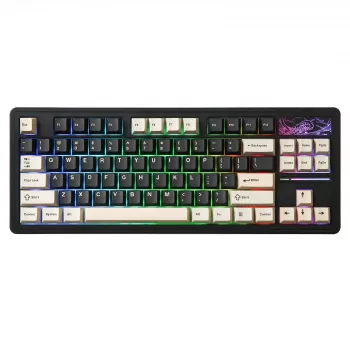
- Wireless Hot Swappable TKL Mechanical Gaming Keyboard 87-Key RGB Backlit — $91.01. A solid base for a compact wireless setup with easy switch customization and RGB lighting.
- Losing Body Fat Percentage eBook | Complete Guide on how to lose body fat percentage, Nutrition, Workouts & Lifestyle Strategies for Sustainable Fat Loss — $15.99. A digital guide option available alongside physical products.
- Helping Teens Build Healthy Connections in a Digital World – eBook Guide on how to help teens build healthy friendships, Teen Communication & Social Skills Resource — $23.99. Another in-stock digital download option.
FAQ
Can any keyboard be hot-swappable?
No. Hot-swappable keyboards use dedicated hot-swap sockets on the PCB; standard soldered boards require desoldering to change switches. Compatibility also depends on switch type (such as MX-style) and the socket standard used.
Is a hot-swappable keyboard better?
It’s better for customization and repairs because you can swap switches to change feel and sound or replace a single faulty switch without soldering. Soldered boards can still be excellent, but they’re less flexible to modify over time.
Is the Logitech G Pro TKL keyboard hot-swappable?
Most Logitech G Pro/Pro X TKL models aren’t hot-swappable in the enthusiast sense and typically use fixed switches. Always verify the exact model version and its switch/PCB design before buying.
Recommended for you
Best Taper Candle Makers: Beeswax, Paraffin & Blends
Jul 19, 2026
Hot-Swappable Keyboards: What’s Compatible and Why
Jul 19, 2026









Leave a comment