-
Shop
- Advanced Technologies
- AI Skills Mastery 2026 Collection
- Beauty
- Best-Sellers
- Calvin Klein
- Car Accessories
- Car Buying & Ownership
- Dating & Social Confidence
- Dating & Social Skills
- Denim
- 7FOR
- AGOLDE
- Antony Morato
- Armani Exchange
- Boss
- Brunello Cucinelli
- Calvin Klein Jeans
- Costume National
- Desigual
- Diesel
- Dolce & Gabbana
- Dsquared²
- Ermanno Scervino
- Fendi
- Gianni Lupo
- Guess Jeans
- Ichi
- Just Cavalli
- Lee
- Levi's
- Liu Jo
- Morgan De Toi
- Mother Denim
- Only
- Pepe Jeans
- Pinko
- Replay
- Tommy Hilfiger Jeans
- Valentino
- Vero Moda
- Digital Resources
- Education & Learning
- Family & Parenting
- Fashion
- Alexander McQueen
- Bags & Wallets
- Balenciaga
- Belts
- Bottega Veneta
- Brunello Cucinelli
- Burberry
- Chanel
- Chloé
- Dior
- Dolce & Gabbana
- Etro
- Fendi
- Gucci
- Hats & Hair Accessories
- Jacquemus
- Jewelry
- Jil Sander
- Jimmy Choo
- Keychains
- Kiton
- Miu Miu
- Off-White
- Prada
- Rick Owens
- Saint Laurent
- Shoes
- Socks & Tights
- Sunglasses
- The Row
- Tom Ford
- Valentino
- Valentino Garavani
- Versace
- Vivienne Westwood
- Watches
- Fashion & Style
- Fashion Accessories
- Financial Education
- Find Your Path Collection
- Fitness
- Furniture
- Gadgets
- Health & Beauty
- Health & Wellness
- Home & Garden
- Home & Kitchen
- Home Styling & Organization
- Home Supplies
- Kids & Babies
- Kitchen
- Lighting
- Nike
- Online Business
- Online Business for Beginners
- Parenting
- Patio, Lawn & Garden
- Personal Growth
- Pet Care
- Pet Supplies
- Pets
- Smart Life with IA
- Sport & Outdoors
- Super Deals
- Travel
- Wealth
- Wealth Building
- Wellness
- YouTube Shorts Best-Sellers
- Popular
- Best deals
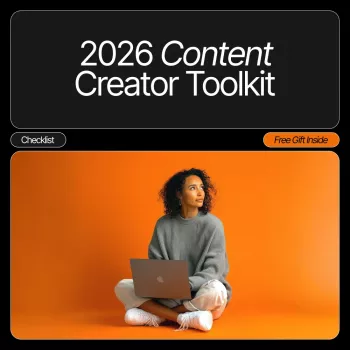
2026 Creator Toolkit Checklist: Plan, Publish, Repurpose

2026 Content Creator Toolkit Checklist: A Practical System to Plan, Produce, Publish, and Repurpose
A reliable creation routine beats last-minute posting. This 2026 Content Creator Toolkit Checklist is a digital download built to organize ideas, streamline production, and keep publishing consistent across platforms—without juggling scattered notes, half-finished drafts, and missed deadlines.
Instead of relying on motivation, a checklist-based system turns your workflow into a repeatable loop: you know what happens next, what “done” looks like, and where your time actually goes. That’s how creators protect quality while increasing output.
Who This Toolkit Fits (and What It Helps Fix)
This checklist system works best for creators who want a cleaner process—not more apps or more complexity.
- Creators who post on multiple platforms and need one repeatable workflow from idea to publish.
- Entrepreneurs building authority with content while balancing product, client, or service delivery.
- Influencers managing collaborations who need clearer planning, deliverables, and posting cadence.
- Common problems it addresses: content gaps, inconsistent quality, unclear priorities, messy asset organization, and repurposing that never happens.
If you’ve ever published something and then realized the thumbnail is off-brand, the links are wrong, or the captions are missing—this is the guardrail that prevents those “fix it after it’s live” moments.
What’s Included in a Creator Checklist System
A complete checklist toolkit supports every stage of publishing, from the first idea to the last repurposed clip.
- Planning support: prompts and structure for turning ideas into a schedule with clear themes and outcomes.
- Production support: step-by-step checkpoints that reduce rework—scripts, shot lists, editing passes, and approvals.
- Publishing support: pre-publish review items (titles, captions, thumbnails, links, accessibility checks) to reduce mistakes.
- Repurposing support: a repeatable way to turn one main piece into multiple posts, clips, emails, or pins.
- Measurement support: lightweight tracking to spot what to repeat, update, or retire without drowning in analytics.
Toolkit elements and how they’re used
| Toolkit element | Best use | Outcome |
|---|---|---|
| Idea capture + prompts | Daily or weekly brainstorming | More usable topics with less blank-page time |
| Content calendar checkpoints | Monthly planning + weekly adjustments | Consistent posting cadence |
| Production checklist | Each recording/design/edit session | Fewer missed steps and faster turnaround |
| Publishing checklist | Right before scheduling/going live | Cleaner posts and fewer fix-after-publish edits |
| Repurposing map | After publishing the main piece | More reach from the same content hours |
| Simple performance log | Weekly review | Clear decisions on what to make next |
A 2026 Workflow That Scales: The 4-Stage Loop
The most sustainable creator workflows are simple enough to repeat and strong enough to support growth. This four-stage loop keeps everything connected so you’re not reinventing your process every week.
A checklist turns each stage into a repeatable loop so momentum does not depend on motivation. For more on why checklists improve reliability, Harvard Business Review’s overview is a useful reference: How to Build a Culture of Reliability.
Weekly Workflow Map (Copy-and-Run Schedule)
| Day | Main focus | Checklist checkpoints |
|---|---|---|
| Mon | Plan + outline | Pick topic, define audience takeaway, outline hook/structure, gather references |
| Tue | Create (batch) | Script/shot list, record/design, collect b-roll/assets, file naming + folder setup |
| Wed | Edit + polish | Edit pass, captions/subtitles, thumbnail/cover, brand consistency check |
| Thu | Publish + distribute | Title/caption, hashtags/keywords (platform-specific), links/UTMs, schedule, cross-post plan |
| Fri | Repurpose + engage | Create clips/quotes, schedule micro-posts, reply to comments/DMs, collect FAQs for next week |
| Weekend | Review + reset | Quick metrics snapshot, note wins/lessons, backlog ideas, prep next topic |
If you want a ready-made structure similar to a calendar workflow, Asana’s content calendar guidance is a solid companion read: Content calendar templates and guidance.
How to Use a Checklist Without Feeling Over-Managed
For creators who also publish educational or product-based content, aligning quality and clarity with widely accepted standards helps. Google’s guidance on helpful content is a practical benchmark for clarity, structure, and usefulness: Creating helpful, reliable, people-first content.
Repurposing Blueprint: Turn One Post Into a Week of Content
If you sell or promote niche resources, repurposing is where the compounding effect shows up. For example, a single “main post” about hair repair can be turned into ingredient spotlights, routine breakdowns, and myth-busting clips—supported by a dedicated resource like the ingredient checklist for dry, damaged hair (a ready-to-post niche resource).
What to Track Each Week (So the Toolkit Improves Your Output)
Recommended Digital Downloads to Build Your 2026 Creator Stack
- 2026 Content Creator Toolkit Checklist digital download — A practical system to keep planning, production, publishing, and repurposing moving in one loop.
- ingredient checklist for dry, damaged hair (a ready-to-post niche resource) — Useful if your audience engages with beauty/wellness topics and you want an organized, shareable resource.
FAQ
Is this toolkit better for beginners or experienced creators?
It supports both. Beginners get structure and confidence from clear steps, while experienced creators use the system to move faster, stay consistent, and document a process that’s easier to delegate.
How quickly can a checklist improve consistency?
Most creators notice improvement within 1–2 weeks when they follow the same weekly rhythm. Bigger gains usually show up after a month of repeating the plan-create-publish-repurpose loop and refining bottlenecks.
Can this work for different platforms and content types?
Yes—the stages stay the same, and you customize the checkpoints per platform. The same workflow applies to video, carousels, newsletters, podcasts, and blog posts by adjusting format-specific “done definitions.”
Recommended for you

Clean Your Washer Drum With Vinegar: Easy Odor Fix
May 27, 2026













Leave a comment